
Which AI Video Workflow Minimizes Manual Cleanup After Script Generation?
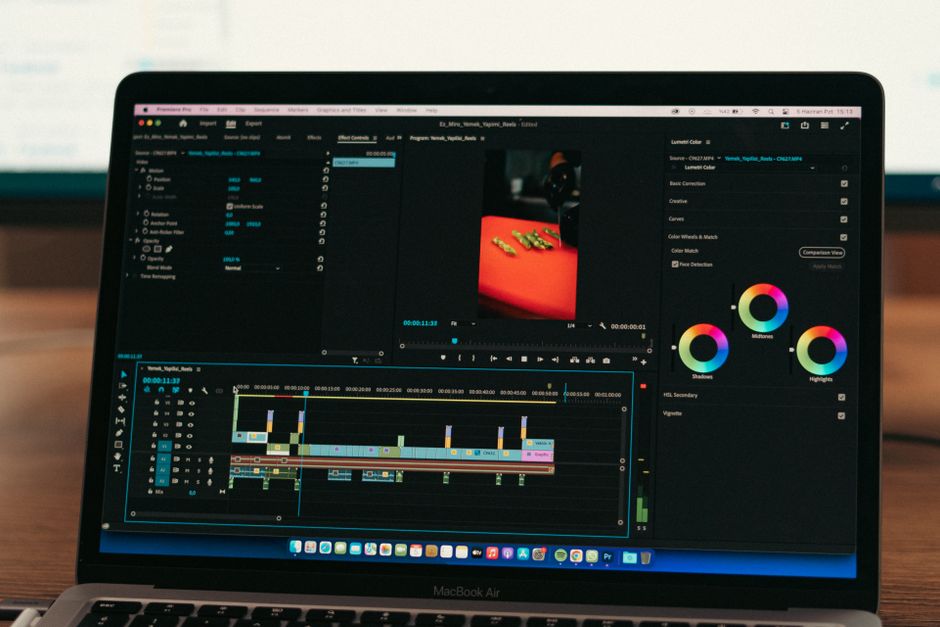
Use a storyboard-first workflow: refine the script, apply brand rules before generation, review each scene for visual relevance and captions, then make the final export. Pictory is practical for turning an existing script into a stock-footage draft, while Synthesia or HeyGen suit repeatable avatar explainers, InVideo helps caption-heavy edits, Descript governs approved assets, and Runway is best reserved for short original shots.
Can Pictory turn a script into a finished video without manual editing?
No. Pictory can turn a script into a usable video draft, but its own documented workflow includes review points before and after generation. That is not a flaw. It is the honest shape of a production workflow: a script is language, while a finished video is language, visuals, timing, voice, captions, and brand choices working together.
According to the Pictory Help Center's script-to-video guide, you paste or generate a script, review and refine it, choose settings, and generate a video that opens in a storyboard. Pictory explicitly says, "Once your script is generated, review it to ensure it aligns with your vision." Read that as an operating instruction, not optional polish.
The First-Draft Rule: let the tool build the assembly; do not ask it to make every editorial judgment for you. Before generation, shorten repetitive sentences, split overloaded lines, and resolve vague references. A line such as "This solves the issue quickly" gives a visual engine very little to work with. Replace it with "A project manager reviews a single dashboard instead of three separate status spreadsheets." The second version gives the system a subject, action, and setting.
Then set the visual guardrails before pressing generate. Pictory directs users to configure scene settings and add a Brand Kit before generation. Its Brand Kit documentation says applying a kit updates current background music and caption font, color, and size from saved presets, while a logo added in Brand Designer is added to all scenes.
- Script pass: make each sentence describe one idea and one visual beat.
- Brand pass: apply logo, captions, colors, fonts, and music before generation.
- Storyboard pass: replace mismatched scenes, check on-screen text, and listen for voice errors.
- Export pass: watch the complete video once with sound and once muted, because captions and visual sequence must work on their own.
The cost of skipping that sequence is not just an imperfect clip. It is the time spent explaining a confusing video internally, then rebuilding it after stakeholders notice the same issues. Teams that depend on relationship-building can apply the same audience-first discipline used in local networking that leads to referrals: make the next action clear and remove needless cognitive load.
Why does Pictory choose irrelevant stock footage for my script?
Pictory can choose irrelevant stock footage because a script contains meaning that can be clear to a human reader but visually underspecified for automated scene selection. The repair is to write visual anchors into the script, then use the storyboard as the decision point for scenes that do not support the claim.
Abstract business language creates the biggest cleanup bill. "Improve operational efficiency" could map to almost anything. "An analyst removes duplicate rows from a report" is narrower. The goal is not to turn every line into a shooting script; it is to give each sentence a visible noun, a physical action, or an unambiguous context.
Weak visual instruction: "Our platform makes collaboration easier." Stronger visual instruction: "Three colleagues review comments on the same proposal during a video call." The stronger version lowers interpretation work. It also gives the marketer a clear test: does the selected scene show people reviewing one shared proposal?
| Cleanup problem | What causes it | Replacement move |
|---|---|---|
| Generic footage | Abstract claims without visible subjects | Add a person, object, action, or work setting to the sentence. |
| Too many scene changes | Several ideas packed into one line | Split the line so each sentence carries one visual job. |
| Off-brand captions | Styling set after generation | Apply a saved brand kit or caption preset first. |
| Wrong pronunciation | Product terms left to default text-to-speech behavior | Set a pronunciation rule and review the spoken track. |
For pronunciation cleanup, HeyGen provides a specific control. Its Brand System guidance describes a Brand Glossary for controlling how terms are pronounced or translated across videos. That is a better workflow than fixing the same product name repeatedly in separate projects.
Use a three-question scene review: "Does this image prove the sentence? Does it introduce a different idea? Would a viewer understand the point with sound off?" If the answer to any question is no, replace the scene. This is faster than debating whether a scene is merely attractive. Attractive is not the standard. Relevant is.
Which AI video tool is best for faceless YouTube videos?
The best tool for faceless YouTube videos depends on the kind of video you are making: Pictory for script-led stock-footage drafts, InVideo for caption control, Synthesia or HeyGen for presenter-led explainers without filming a person, Descript for governed editing systems, and Runway for short original visual inserts. One tool will not remove every form of cleanup, so choose the tool that removes your most expensive repeat task.
For repurposed blog or script videos, choose Pictory first. Its documented script-to-storyboard flow matches the job: take prepared copy, shape it into scenes, then review. It is a drafting system, not a reason to abandon editorial review.
For caption-led social or YouTube variants, consider InVideo. According to InVideo's caption documentation, captions are editable on a timeline, support more than 50 languages, and can be styled in more than 10 ways. Its useful production detail is this: editing the transcript, moving or restyling lines, and trimming video can re-time captions. That reduces the manual repair created when an edit changes timing after captions are finished.
For B2B explainers with a recurring presenter, use an avatar workflow. Synthesia Brand Kits can apply logos, colors, fonts, shapes, and avatars across videos on Enterprise plans. Its Brand Kit documentation states that applying a kit automatically replaces colors, fonts, avatars, and logos already set in a video, including Dynamic Captions. That makes it suited to standardized explainers where consistency matters more than varied stock scenes.
For team governance, use Descript where approved choices must stay approved. Descript says its Brand Studio can centralize layouts, fonts, and brand elements, and Enterprise controls can lock colors, fonts, or media so off-brand choices disappear from the picker. See the Descript Brand Studio overview. That changes the workflow from correcting mistakes afterward to preventing unauthorized choices at selection time.
For original generated footage, use Runway as a shot tool. Runway states that Gen-4 creates 5- or 10-second videos from an input image and a text prompt. Its Gen-4 documentation lists 12 credits per second for Gen-4 and 5 credits per second for Turbo, so a 10-second clip costs 120 credits or 50 credits respectively. That makes a test-first approach practical: Runway recommends testing in Turbo before moving to Gen-4.
Do not use Runway as if it were a one-pass article-to-video machine. Its prompting guide recommends simple motion prompts, direct physical descriptions, and one scene per generation. A prompt that asks for multiple scene changes and style shifts invites unintended results. Give it one shot brief, then assemble those short shots in your editor.
Choose with the cleanup question, not the feature-list question. If your team keeps replacing irrelevant visuals, start with a clearer script and Pictory storyboard. If it keeps repairing captions, use InVideo's editable timed track. If it keeps reapplying logos and correcting terms, establish brand systems in Synthesia, HeyGen, or Descript. If it needs a specific original five- or ten-second shot, generate it in Runway and keep the request narrow.
Run one production drill this week: take one short script, write a visible noun and action into every scene, apply brand settings before generation, and log every manual edit after the first draft. The pattern in that edit log tells you which tool should own the next video.
Frequently Asked Questions
Is InVideo better than Pictory for prompt-to-video content?
Neither tool is automatically better; choose based on the cleanup that matters most. Pictory documents a script-to-storyboard workflow with script refinement and scene review, while InVideo documents a storyboard planning feature plus editable, word-level captions that re-time when footage is trimmed. If caption adjustment is your recurring bottleneck, InVideo's editable timeline is the stronger fit; if you begin with a finished script and want a storyboard draft to review, Pictory is a direct fit.
How can I keep captions, logos, and brand styling consistent in AI videos?
Set up a reusable brand system before generating variants, rather than correcting each export afterward. Pictory Brand Kits update current music and caption styling and place an uploaded logo on all scenes; Synthesia can replace existing visual settings when its Brand Kit is applied; and Descript can lock unapproved colors, fonts, and media out of the picker. Check one generated scene before approving the full video, because the exact inheritance behavior differs by tool.
Should I use an AI avatar tool or stock-footage video generator for B2B videos?
Use an avatar tool when a consistent presenter, pronunciation rules, and repeatable brand presentation carry the message. Use a stock-footage generator when the script needs varied illustrative visuals, but plan a visual-relevance review for every scene. For a B2B workflow, the deciding question is simple: does the viewer need to see a stable spokesperson, or do they need supporting footage that proves the point?
Sources
- Pictory Help Center: How to Turn Your Ideas or Script Into a Video
- Pictory Help Center: Getting to Know Brand Kits
- InVideo: Video Caption Generator
- Synthesia Documentation: Brand Kits
- HeyGen Help Center: How to Create a Brand Kit
- Descript: Brand Studio
- Runway Help Center: Creating with Gen-4 Video
- Runway Help Center: Gen-4 Video Prompting Guide
Related reading
What Are the Best AI Websites Besides ChatGPT?
A task-based method for choosing useful AI tools, protecting sensitive data, and avoiding redundant subscriptions.
Choose the Right AI App Builder for Your First MVP
A practical framework for choosing Lovable, Bolt, Replit, or v0 for a prototype, web MVP, native mobile app, or developer handoff.